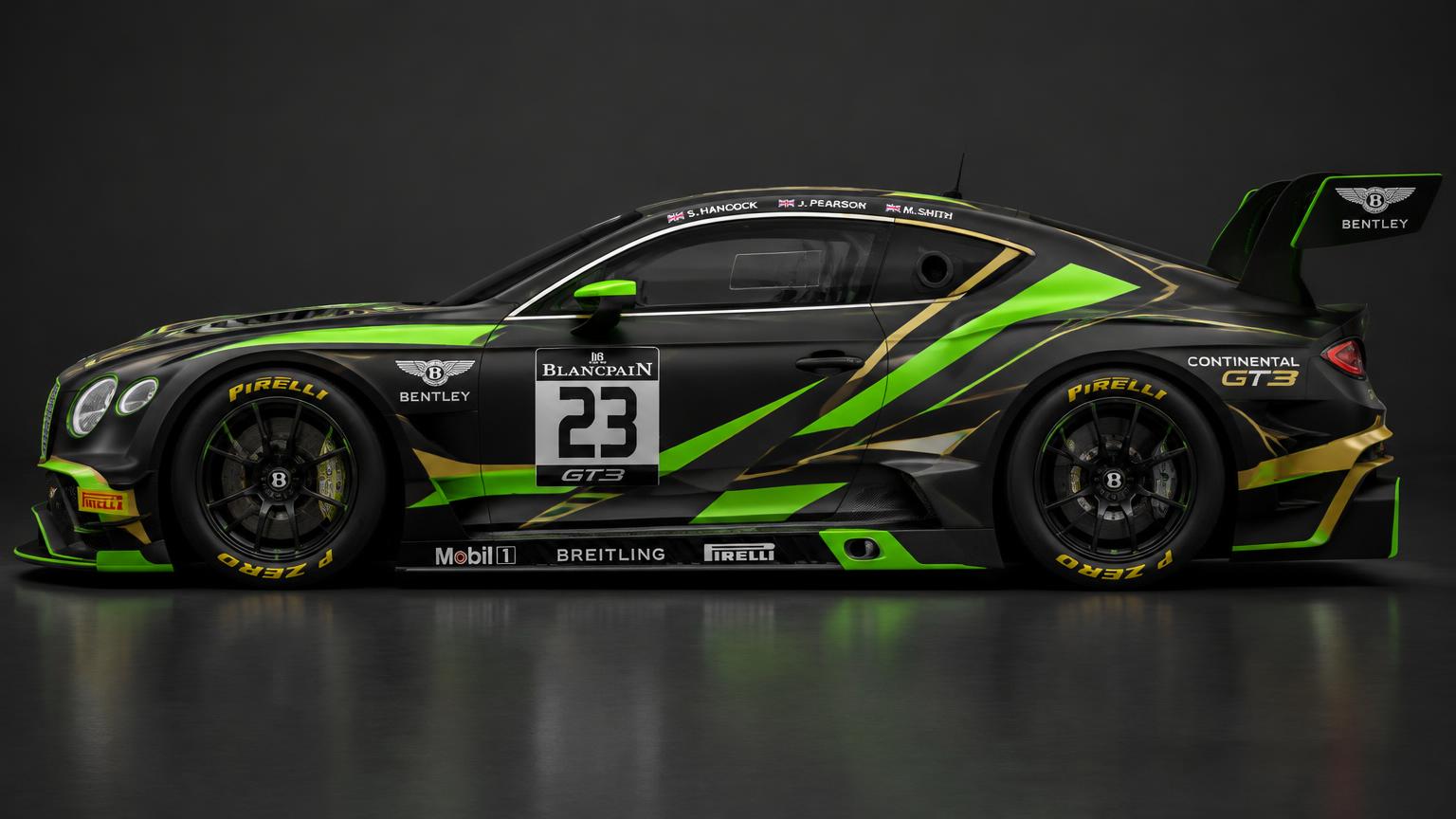
#23
Shadow Venom
Aggressive shard graphics cut across a matte black body — built for night races under floodlights.
Matte black
Venom green
Brass gold
Made in Photoshop
Livery studio
#23
Aggressive shard graphics cut across a matte black body — built for night races under floodlights.
Made in Photoshop
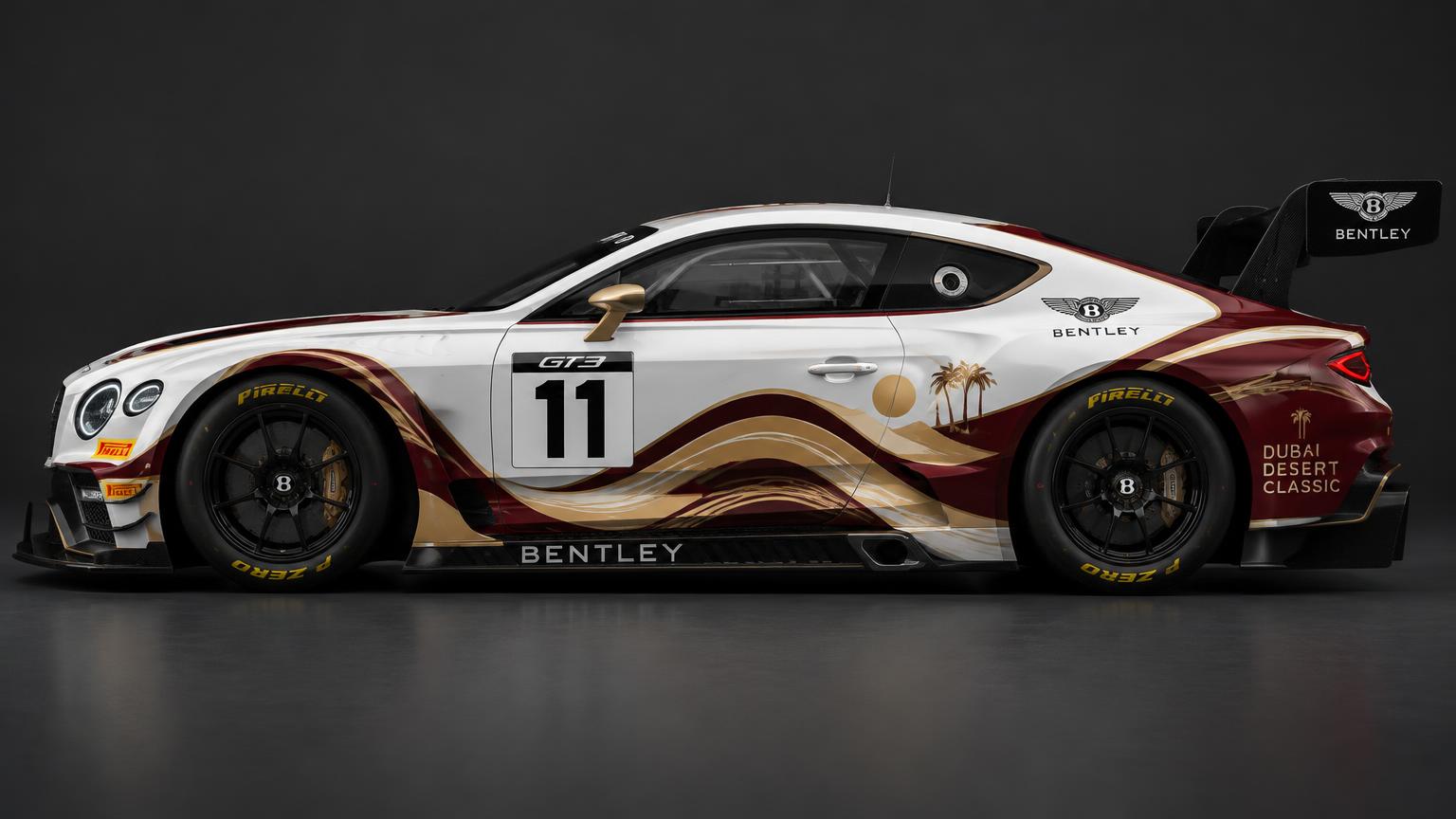
#11
Flowing sand dunes, palm trees and a setting sun — a tribute to Gulf racing and desert heritage.
Made in Photoshop
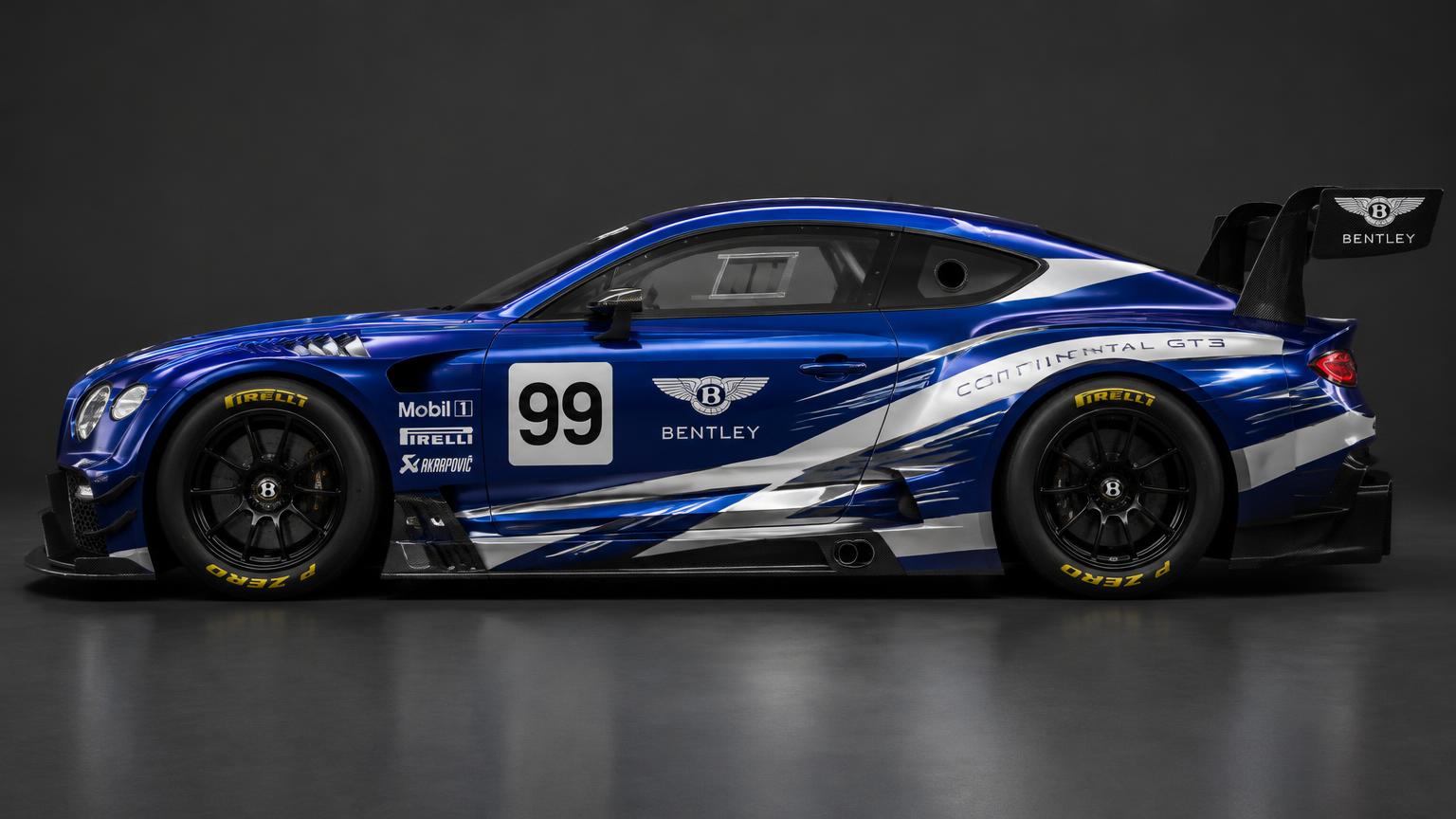
#99
Deep royal blue torn open by chrome speed streaks — designed to look fast even standing still.
Made in Photoshop
Free download
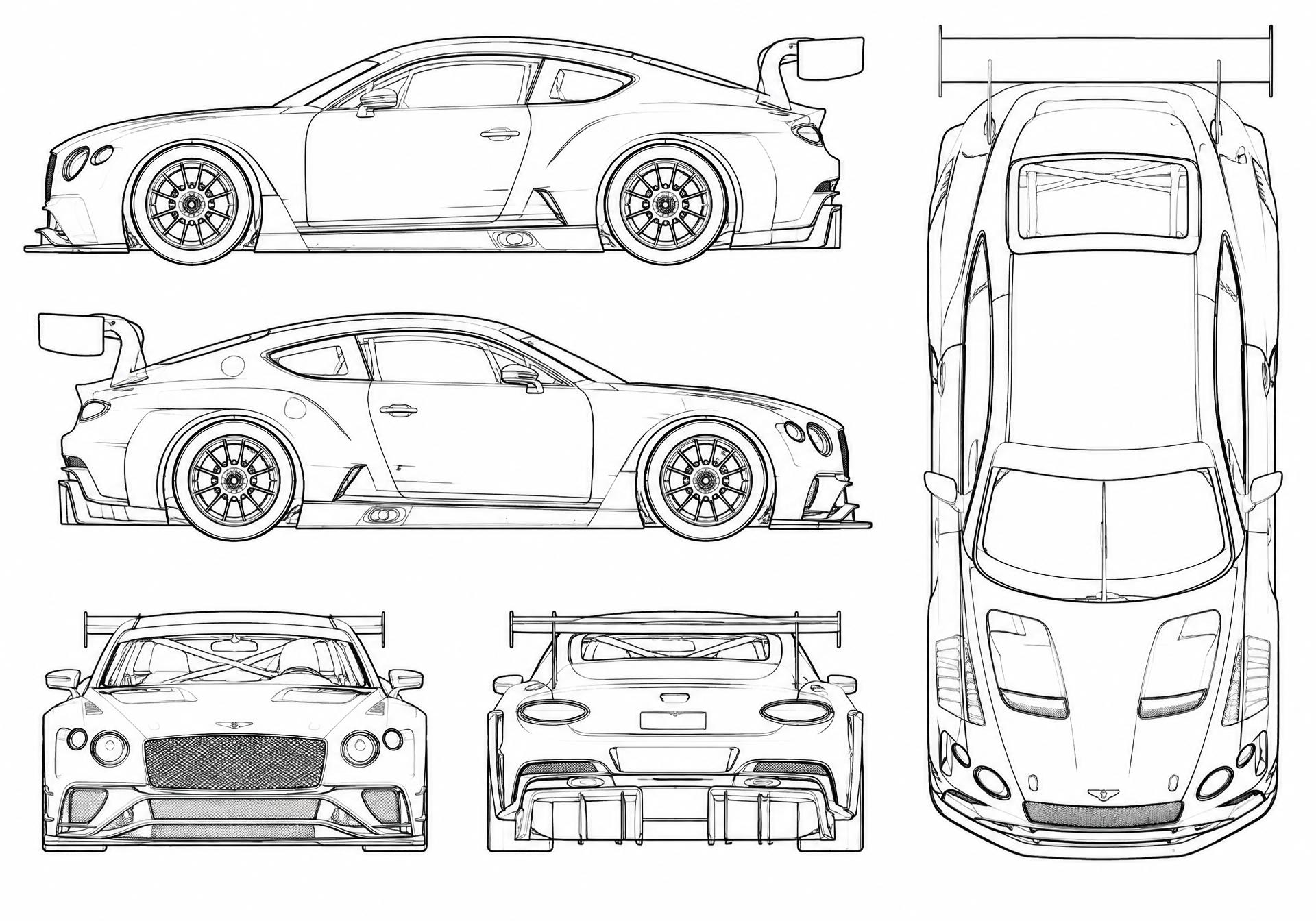
Left, right, top, front and rear views of the Continental GT3 as clean line-art. Open it in Photoshop, paint underneath the lines and build your own livery.
Photoshop workflow
Open the template
Download the blank Continental GT3 sheet and open it in Photoshop. Lock the line-art as your top layer set to Multiply.
Block in base colours
Add a new layer under the lines and fill the body panels with your base colour using the Magic Wand + Fill.
Draw the graphics
Use the Pen tool for clean stripes and shards. Keep each graphic on its own layer so you can recolour fast.
Place sponsors & number
Drop in sponsor logos as Smart Objects, add the race number plate, and mirror everything across both sides.
Add realism
Use a Displacement map and soft light highlights so the decals follow the body curves.
Export
Save a layered PSD for editing and export a high-res JPG or PNG for sharing.